How common home security systems work, how they can be tricked, and how to secure a house properly.
This website is part of a university submission for the University of New South Wales, Australia.
The "continue" button or scrolling lets you continue the journey, whereas the "source" button redirects you to the respective source for reference and transparency.
While 18% of all Australians have already experienced a break-in in their lives, 8% of Australians experienced an (attempted) break-in only during the last 12 months.
Females and younger residents are more likely to experience a break-in due to several factors, such as being perceived as easier targets, having less life experience, and being outside of the house more often.
In 65% of cases, property has been stolen, and in 44%, the property of Australian residents has been damaged. In most cases, personal items such as jewelry or clothes were stolen, as well as money, wallets, and bicycles.
Cities are relatively more impacted by break-ins due to higher crime rates and greater financial damage.
Apart from financial damages and broken windows or doors, most victims experience psychological consequences after a break-in. The most common psychological consequences include, but are not limited to:
- Anxiety, fear, or anger
- Paranoia
- Post-Traumatic Stress Disorder (PTSD)
- Depression
Most victims don't feel safe in their own homes anymore, as their privacy and intimacy have been violated in a place they thought would be secure.
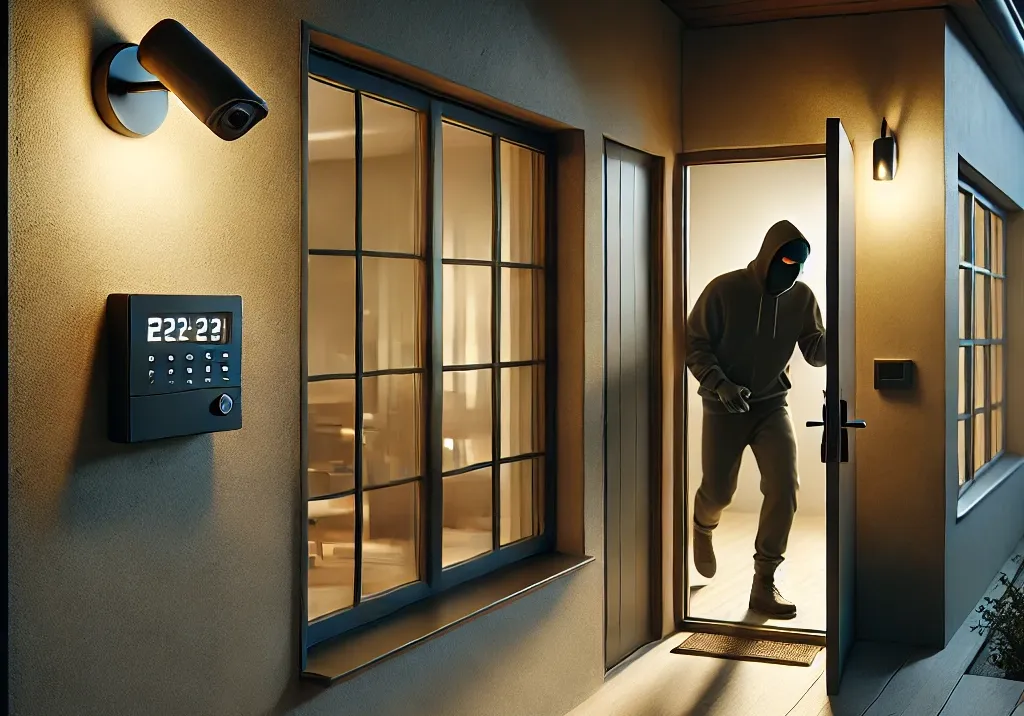
First, house alarm systems are often visible from the outside. Attackers usually spot alarm sirens, motion trackers, or CCTV cameras from a distance. As the previous statistics indicate, most attackers would avoid breaking into a house with a visible alarm system installed. Therefore, the mere presence of an alarm system can prevent break-ins from occurring. While this phenomenon is subject to the prevention paradox, people often don’t realize how valuable their alarm system is, as they are unaware of what it has actually prevented.
Even if an attacker did not notice the alarm system, or it wasn’t visible from the outside, they will still be confronted with an alarm, signaling that their activity has been detected. Depending on the design of the alarm system, either the police or at least the owner will be notified, and the thief can assume that the property won’t remain empty for long. Although the break-in has already occurred, it may come to an end quickly, preventing further damage or additional stolen goods. The attacker will likely flee due to the shock and fear of being caught.
If a break-in occurs, the police can use the alarm system’s data to support the prosecution of the attacker. This could happen through faster response times, potentially catching the attacker on the spot, or by helping to recreate the incident or identify the attacker via a connected CCTV camera.
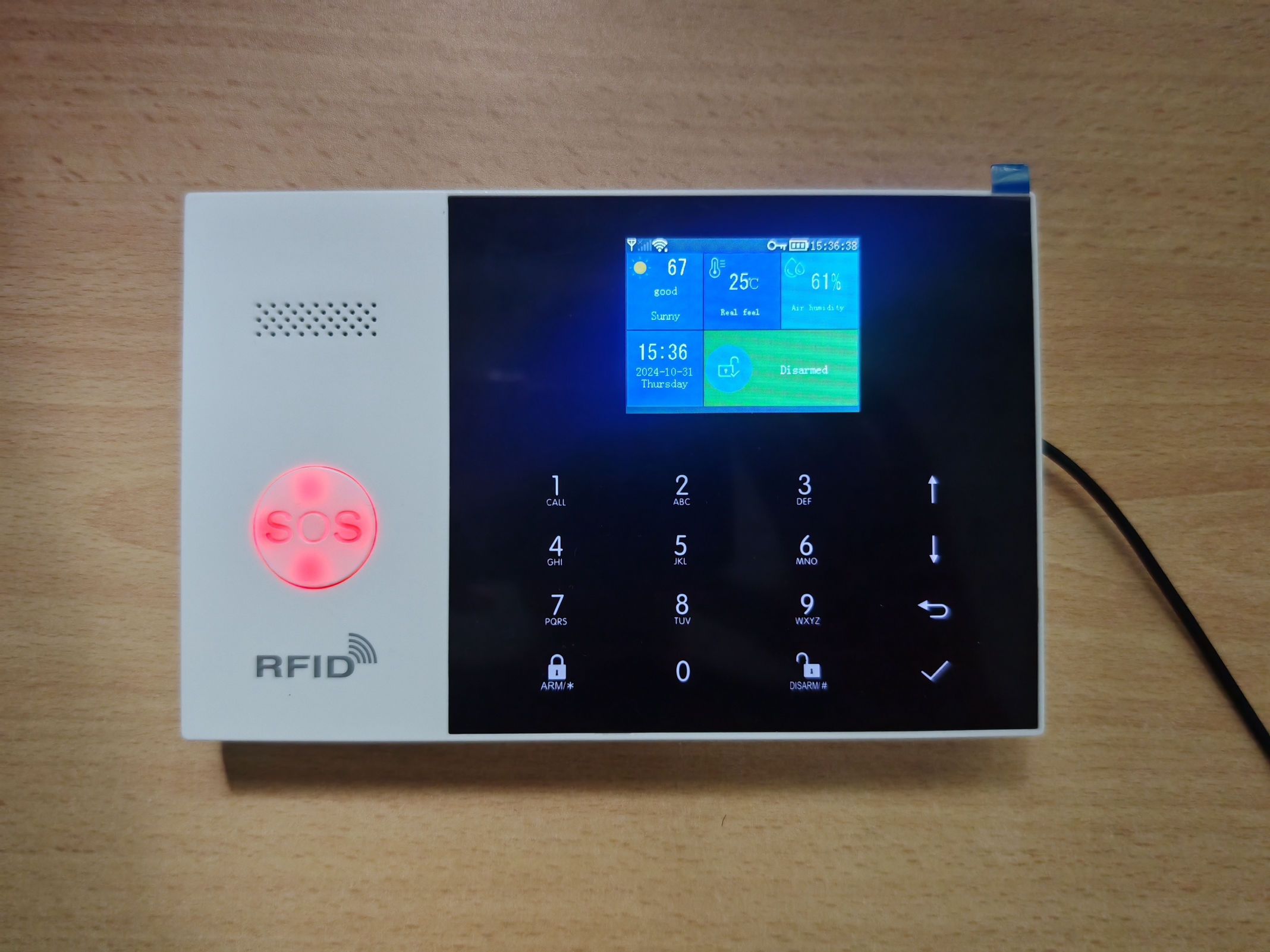
The main station is the heart of the alarm system: it connects to the internet via Wi-Fi, with a mobile network as fallback. The internet connection allows communication with the mobile application and sends push notifications in case of an event. The SIM card serves as a fallback if the Wi-Fi connection is blocked and can optionally send an SMS to the resident and the police.
The main station also communicates with components via radio, utilizing either the Zigbee or LoRa standard, depending on the model. This allows the main station to monitor the sensors’ status and detect any break-ins.
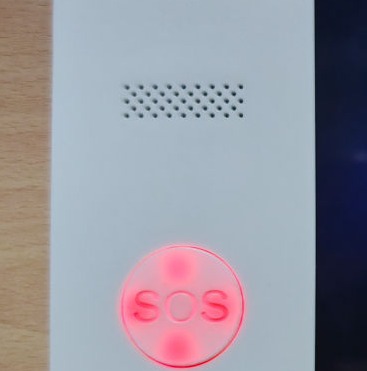
Additionally, this version is equipped with an SOS button, which enables the user to trigger an alarm instantly—a useful feature during a robbery if the resident is still in the house.
When the alarm system is activated, it usually waits 30 seconds to become fully operational, allowing the resident to leave without triggering the alarm. Similarly, if a sensor is triggered, the alarm system doesn’t immediately activate but instead waits 20 seconds to allow deactivation. This is particularly useful if the resident is deactivating the alarm from inside rather than with a remote control. The alarm can also be deactivated via the main station’s touchpad, which requires a predefined PIN.
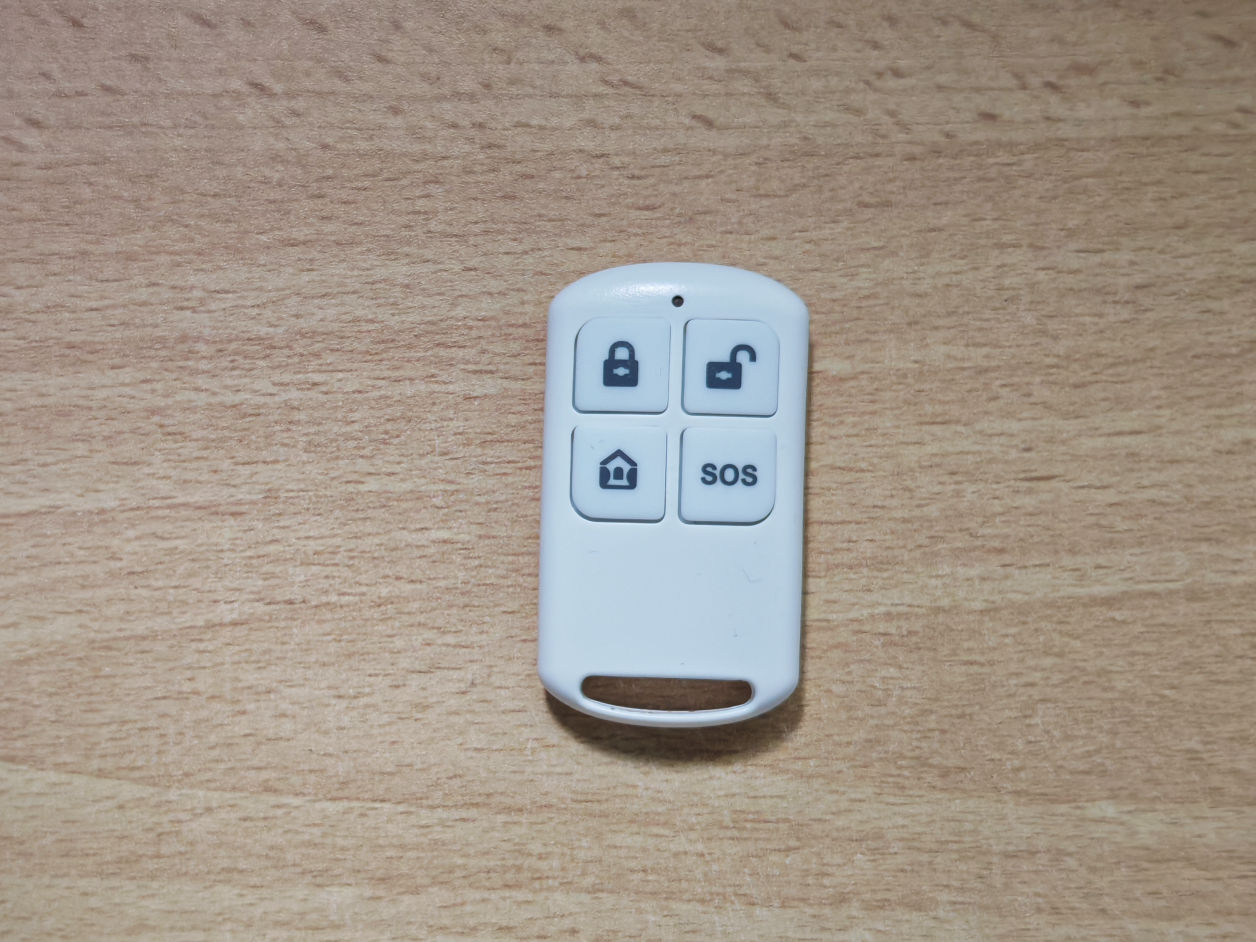
The remote control uses the same radio standard (range approximately 20 to 30 meters) to communicate with the main station. It allows control over functions such as triggering the SOS feature, activating or deactivating the alarm, and enabling a lockdown mode. This last function enables the use of the alarm system while at home, ensuring it only triggers in response to an external threat.
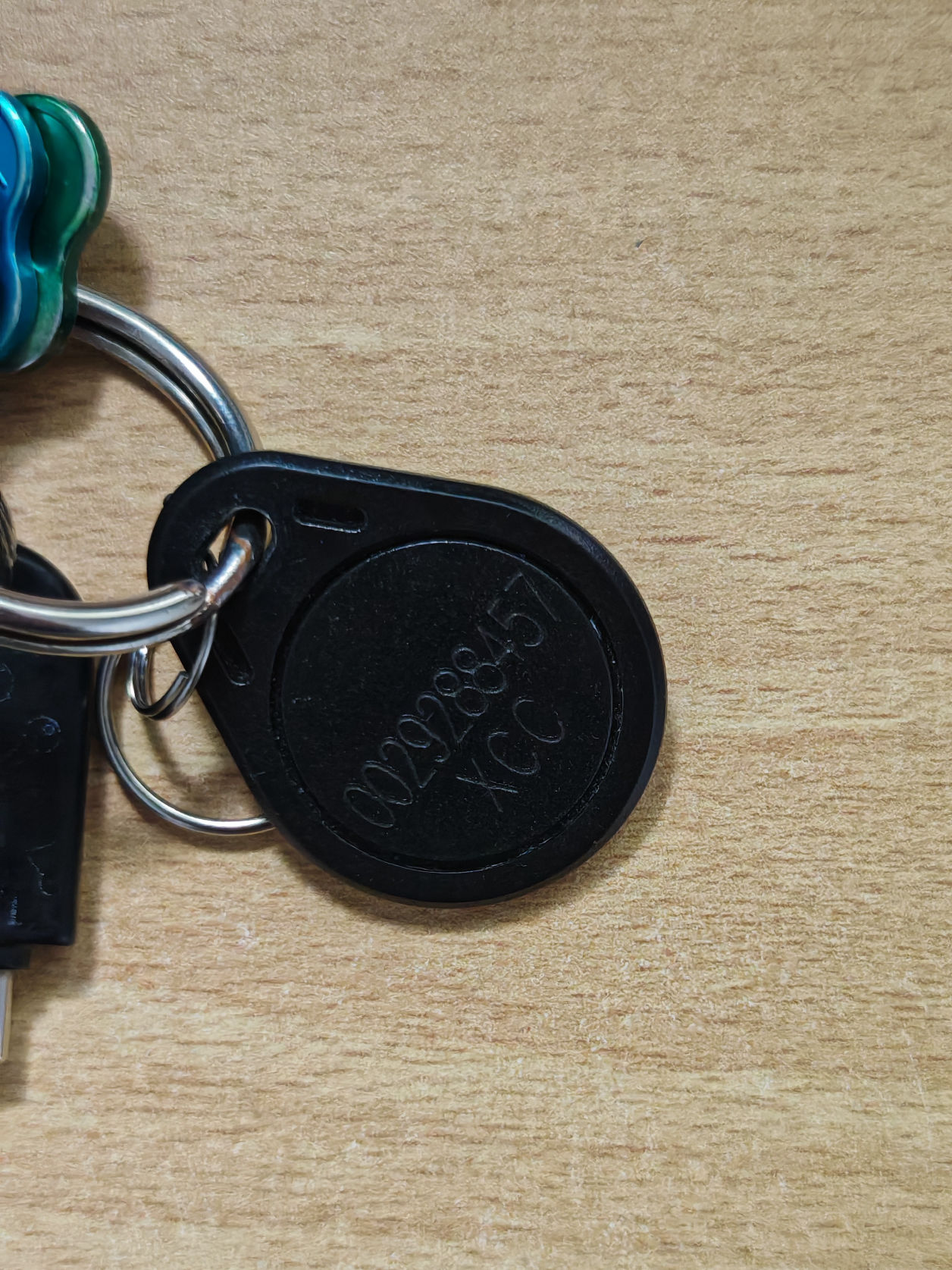
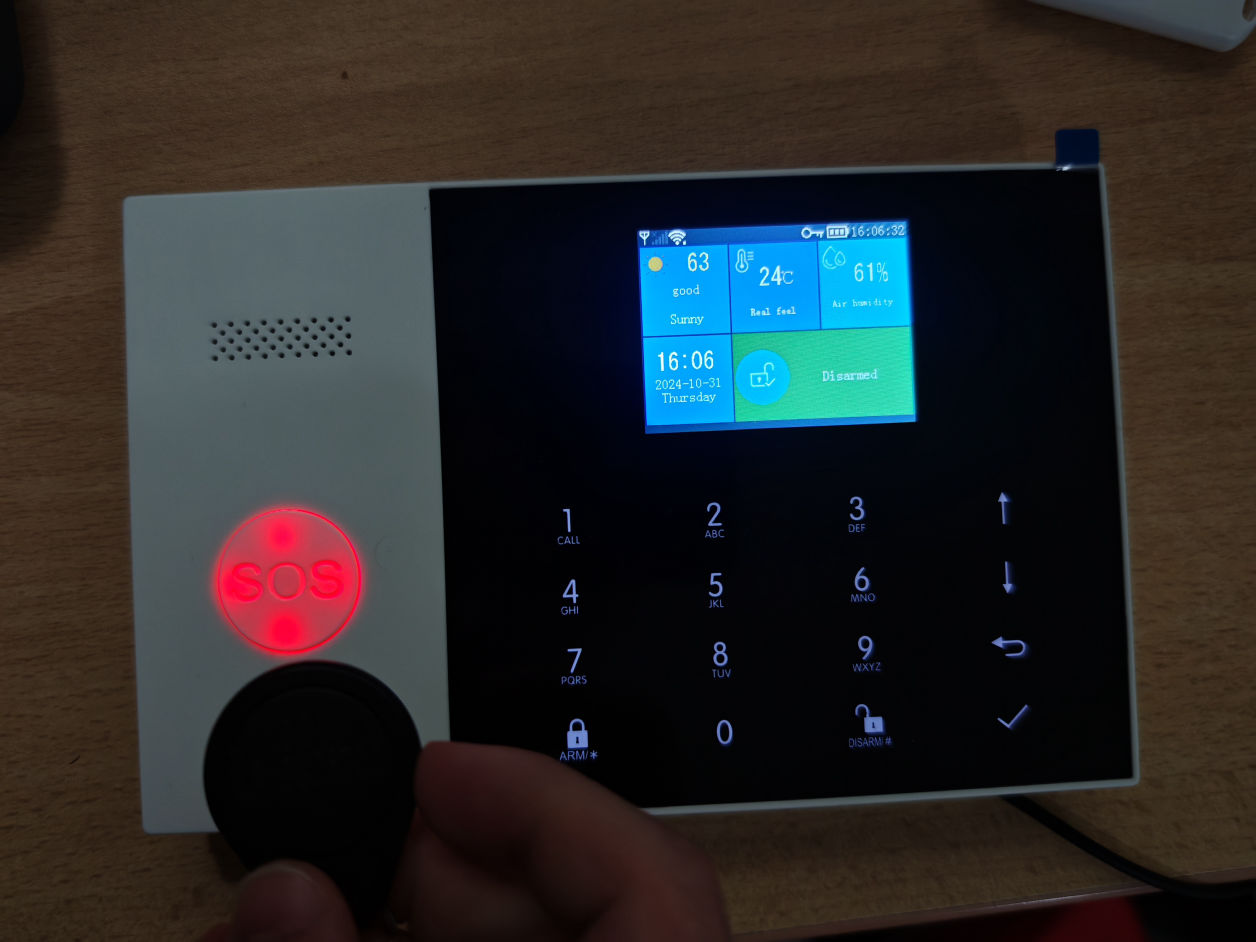
The RFID tag allows the resident to deactivate the alarm system without needing PIN identification. By tapping the RFID tag on the main station, the alarm is switched on or off. The RFID chip must be paired with the device before it can be used to control the alarm system.
While the main station has an integrated alarm, it’s possible to connect a separate alarm that is exceptionally loud. This external alarm can be used to further scare a thief and attract the attention of others more quickly and effectively.
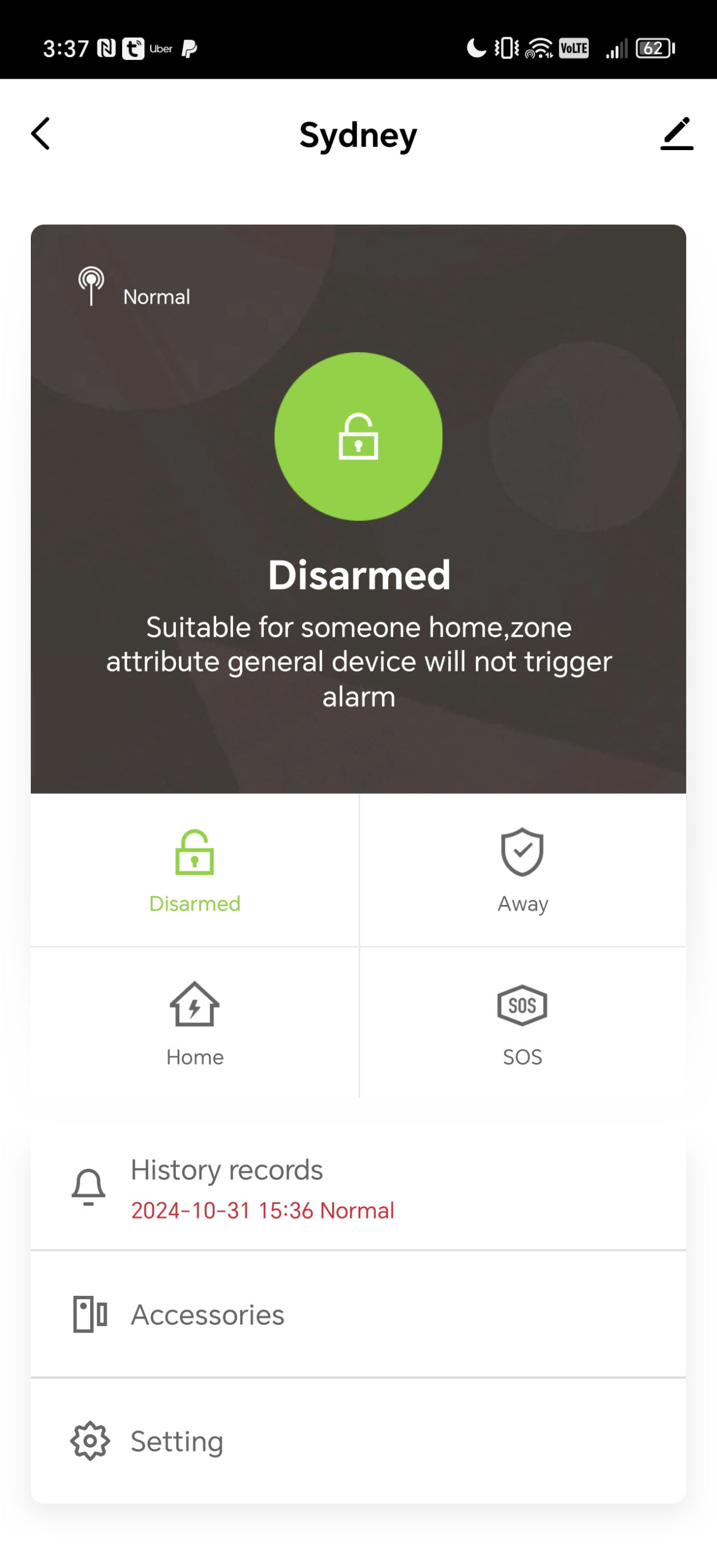
The mobile app allows users to control the status of the alarm system and receive push notifications in case of an event. These events include a triggered alarm, a switch to battery power if the AC cable is detached, and status changes via different control methods like the RFID chip or remote control. The app also allows users to manage, add, and remove connected components such as remote controls, sensors, and cameras.
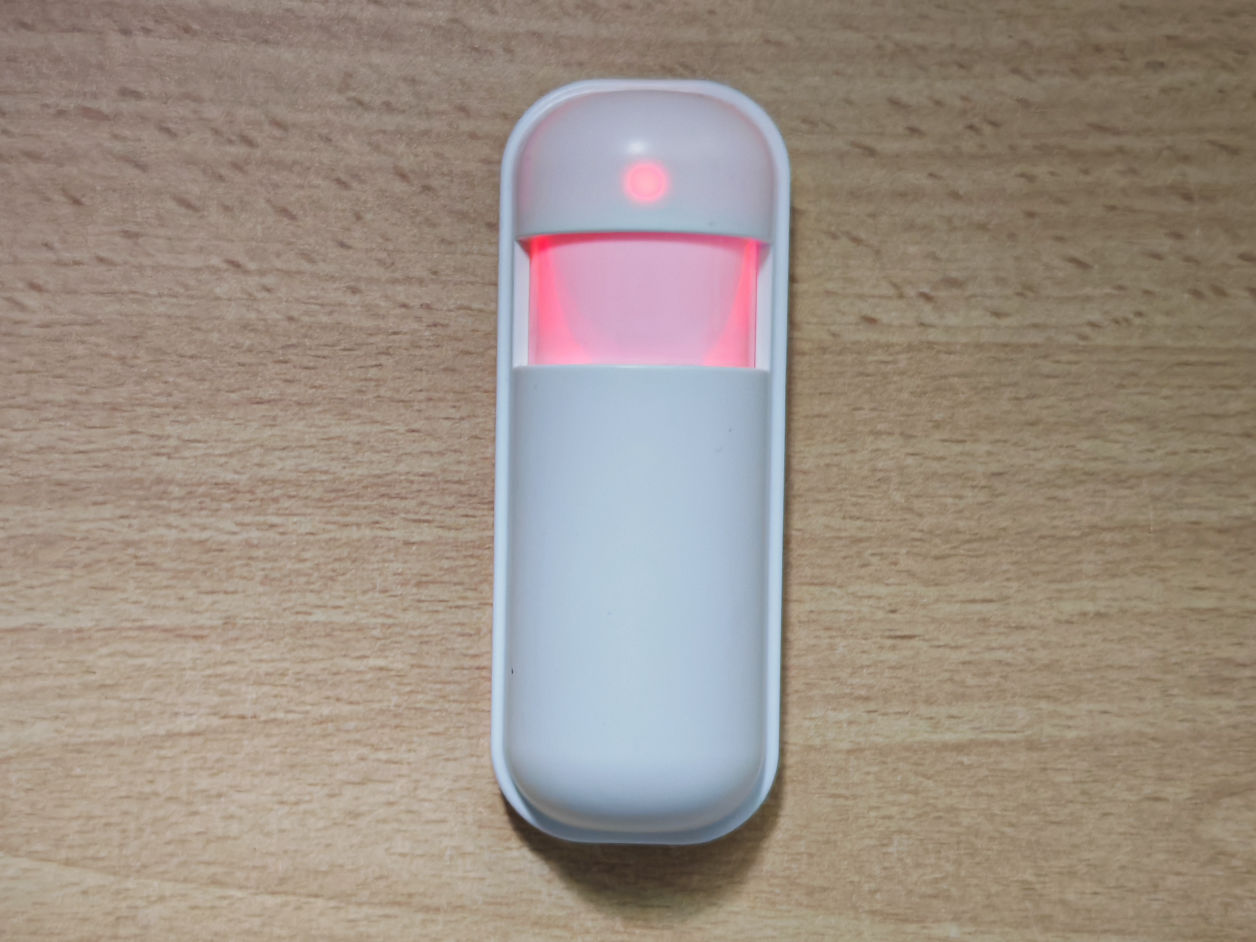
The motion sensors detect, as the name suggests, moving objects. More details on how they work and why they can be easily triggered will follow later. They are connected to the main station and report movement if the alarm is activated.
The contact sensors work with attached magnets, which trigger an event if the magnet is moved away from the sensor’s contact area. This sensor can be used to detect open doors and windows. The magnet is attached to the moving part of the door or window, while the sensor is attached to the door or window frame. This way, they maintain contact when the door or window is closed but lose contact when it is open.
The following video illustrates how the alarm system functions in reality when an alarm is triggered. The footage was filmed with the support of a friend.
Tricking The Contact Sensor.
Background
The sensor is based on magnetic fields and is triggered if the magnetic field falls below a specific threshold. Normally, when the door opens, the distance between the magnet and the sensor increases, weakening the magnetic field. The advantage we are going to exploit is that the sensor does not differentiate or identify magnetic fields. Unlike a remote control, where the device can recognize a legitimate key (such as for a garage door), the sensor does not verify the source of the magnetic field.
The Strategie
The strategy is to maintain a magnetic field so that it never falls below the sensor’s trigger threshold. Since there is no identification of the magnet, the sensor wouldn’t notice if another, stronger magnet is in its area and responsible for the field instead of the actual alarm system magnet.
The Attack
First, I needed a magnet strong enough to reach through the door so that the sensor on the other side does not detect the absence of the original magnet. This might be the most basic version of spoofing—we are spoofing the magnet. The challenge: we need a magnet strong enough to bypass the door. Why? The original magnet of the alarm system is on the same side as the sensor, the inside, but we are on the outside, attempting to simulate the presence of the magnet on the other side.
Tricking the motion sensor.
Background
The motion sensor detects movement, but not in the way most people think. It does *not* detect motion in the visible spectrum that we see, but in the infrared spectrum. More precisely, the motion sensor is blind to the human light spectrum; it doesn’t recognize whether a room is dark or lit, or whether the walls are pink or blue. Instead, it “sees” heat. In other words, the sensor doesn’t “see” a human entering a room by the color differences as we would but rather by detecting the moving heat the person emits.
We perceive a moving object because it contrasts in color with its background. Everything emitting the same color blends together in our vision. But in the infrared spectrum (in which the motion sensor operates), contrast is determined by heat differences rather than colors. Objects can be distinguished if they have different heat signatures, while anything with the same heat appears the same.
The Strategie
To summarize, for a human, anything that emits or reflects the same color appears the same (simplified).
For a motion sensor, anything with the same heat appears the same.
If a painting falls from the wall, the motion sensor won’t detect it, as the painting has the same temperature as the wall around it, blending it in with the surroundings.
A human, however, emits heat and typically does not match the temperature of the room and its objects, allowing the sensor to distinguish a person from other objects. The motion sensor detects the moving heat that a human emits.
Our strategy is to match our skin temperature to the room, making us invisible to the motion sensor. By having the room temperature, we essentially become undetectable.
The Attack
But how can we match our skin temperature to that of the room?
Cooling down the entire body obviously doesn’t work...
Instead, we need something around us that shares the room’s temperature, like a bedsheet. A bedsheet provides enough insulation to keep the heat I emit contained in the small space between me and the sheet. As a result, the motion sensor only detects the temperature of the bedsheet, which matches the room, and therefore sees nothing.
This also works with insulating jackets or clothing—there are many options. The bedsheet example simply illustrates how remarkably easy this bypass can be, once you understand how a motion sensor works.
In the end, the motion sensor was not triggered and failed to detect my break-in!
Jamming the Wifi Signal.
Video & Pictures will be added as soon as needed components are provided.
Background
The main station connects to the internet via Wi-Fi or mobile network. Without this connection, the alarm system cannot report any event, such as a triggered motion alarm. While it can still activate the siren, the system can't notify anyone about the incident. Neither the police can be informed, nor can the mobile app receive a push notification. The entire alarm system then has to rely on someone noticing the sound of the siren.
The Strategie
The idea is to jam both the Wi-Fi and mobile network signals, ensuring that the alarm system cannot communicate with the server. This approach is even more effective because the server does not regularly check whether the alarm is online. Once the connection is jammed, the alarm system cannot send an "I am offline" message to the server, as it’s too late by then. For the server to detect this, it would need to actively 'ping' the alarm system to check its status. However, it doesn’t do that!
The Hack
The hack involves using "Kali Linux," a specialized Linux distribution designed for... let’s say, penetration testing, to block the Wi-Fi signal.
I only blocked the Wi-Fi signal, *not* the mobile network (the SIM card), as jamming mobile networks (like LTE or 5G) is highly illegal. Blocking Wi-Fi, however, is legal if it’s your own network and not someone else's device or network. Blocking a mobile network is illegal regardless of the targeted device. Still, it’s technically possible—mobile network jammers can be bought from China for less than A$100.
Returning to my plan: I installed Kali Linux on a virtual machine on my MacBook, plugged in an external Wi-Fi transmitter, then searched for and selected the target device, finally blocking it from Wi-Fi.
Cloning the RFID chip.
Background
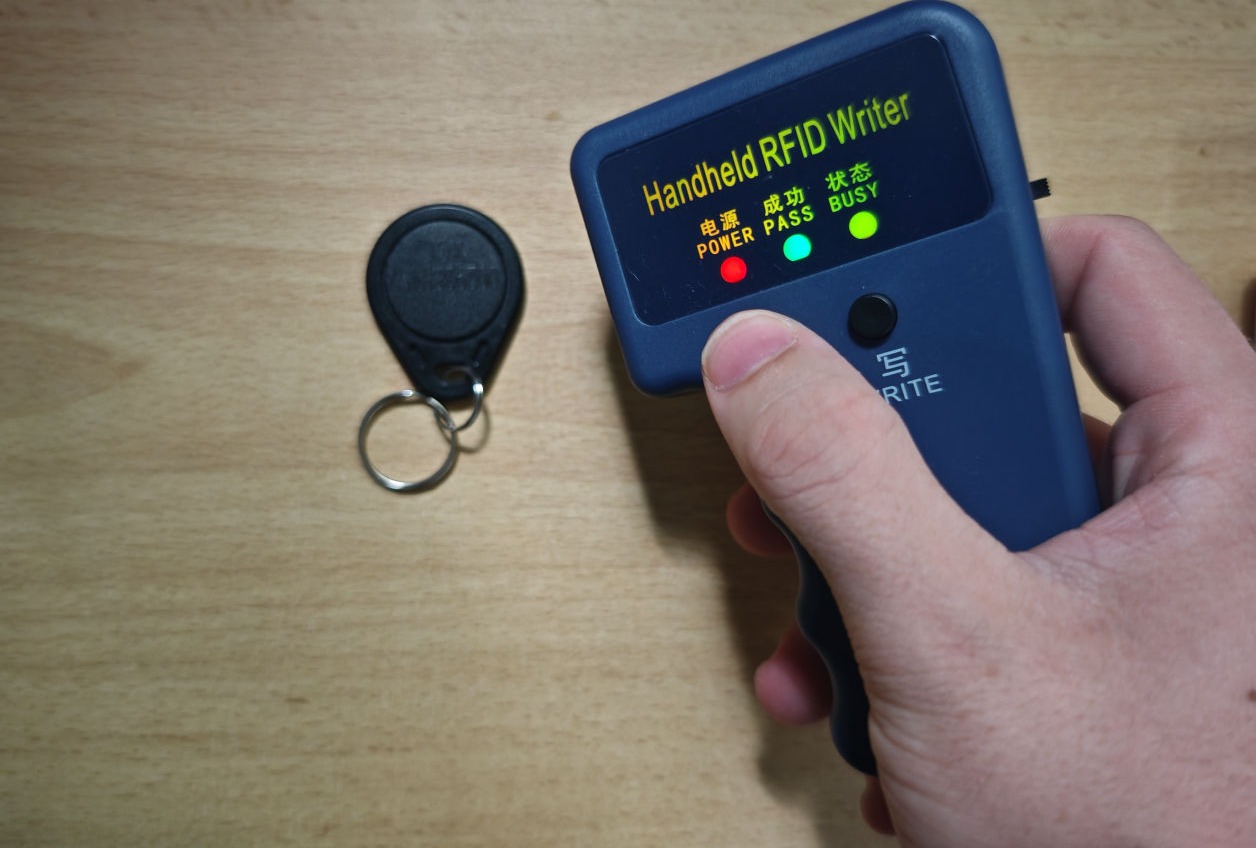
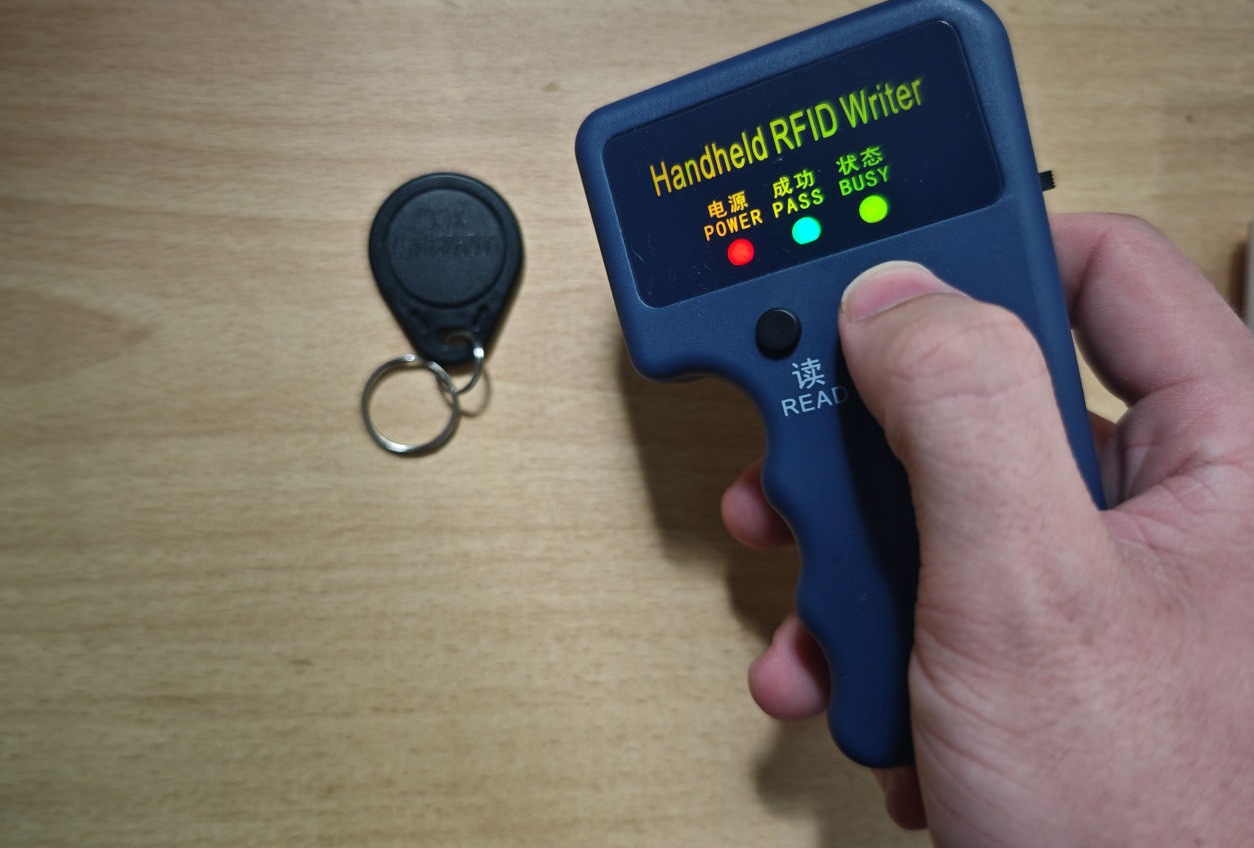
In the next and final hack, I cloned the RFID chip/tag, which can be used to activate and deactivate the alarm system. The RFID chip operates on a 125 kHz RFID band, one of the most common bands for programmable tags.
Normally, to make an RFID chip work with the alarm system, it must first be paired. In simplified terms, the RFID chip is programmed with a unique identifier, and when held near the alarm system, it reads this identifier to uniquely recognize the chip. Once paired, the RFID chip can be used to activate and deactivate the alarm.
The Strategie
The problem: I can't just use any RFID tag to activate or deactivate the alarm. I need an RFID tag with the exact same identifier as the paired one. However, the paired RFID chip is in the possession of the resident where the alarm system is installed. If I were to steal the RFID chip, they would likely notice, and as soon as they realize it’s missing, they might replace it or become alerted to the possibility of a break-in.
So, I need a way to create an RFID chip with the same identifier as the originally paired RFID chip, without actually stealing the original.
The Hack
The solution: cloning the resident’s paired RFID chip.
To do this, I only need to pass by the resident, as RFID has a range of more than 20 cm (often even more), and read the RFID chip as I go. Essentially, I replicate what the main station does: I read the identifier of the RFID chip, save it, and then write it to a new tag, creating a perfect clone. Alternatively, I could also use the cloning device itself to activate or deactivate the alarm directly by holding it near the alarm station.
Spoofing the controller signal. A Replay Attack.
Big thanks to Richard, who lent me his Flipper Zero!
Background
The home alarm system can also be deactivated using a remote control.
The remote operates on 433 MHz (a common frequency for low-power remotes). More advanced remote controls use "rotating codes," meaning each time the remote is pressed, it sends a unique signal, and previously used signals won’t work again. This ensures that even if someone copies the signal and replays it later, it won’t activate the system since each use requires a new code.
However, these basic alarm systems don’t use rotating codes, meaning they send the same code each time they’re used.
The Strategie
The strategy is to wait for the homeowner to deactivate the alarm, for instance, when they come home. Thieves often observe a house for days before breaking in, so this isn’t usually difficult. When the owner deactivates the alarm, the thief simply listens to the remote control's signal and records it.
Later on, the thief can "replay" this same signal to deactivate the alarm and unlock the system.
The Hack
The hack I would have used (if I had a Flipper Zero, as I did with garage openers at home in Germany) involves listening to all signals on 433 MHz with the Flipper. I would record the signal that the remote control sends when deactivating the alarm and then replay the exact same signal.
The alarm would be disarmed even before I enter the room. Since we already blocked both the mobile network and Wi-Fi in previous steps, the owner wouldn’t receive a notification about the deactivation, as the alarm system cannot send a push notification.
Here, we take a closer look at what actually happens on the Flipper Zero. First, the Flipper Zero records all low-frequency signals, visualized as a spectrum on the display. All signals in the vicinity are captured and can then be replayed with ease.
For demonstration purposes, the remote control and Flipper Zero are close together, but these low-frequency bands have a range of at least 30 meters, meaning the attacker doesn’t need to be right next to the victim to capture the signal.
The Flipper Zero also allows replaying saved signals—meaning we can now activate and deactivate the alarm as often as we want.
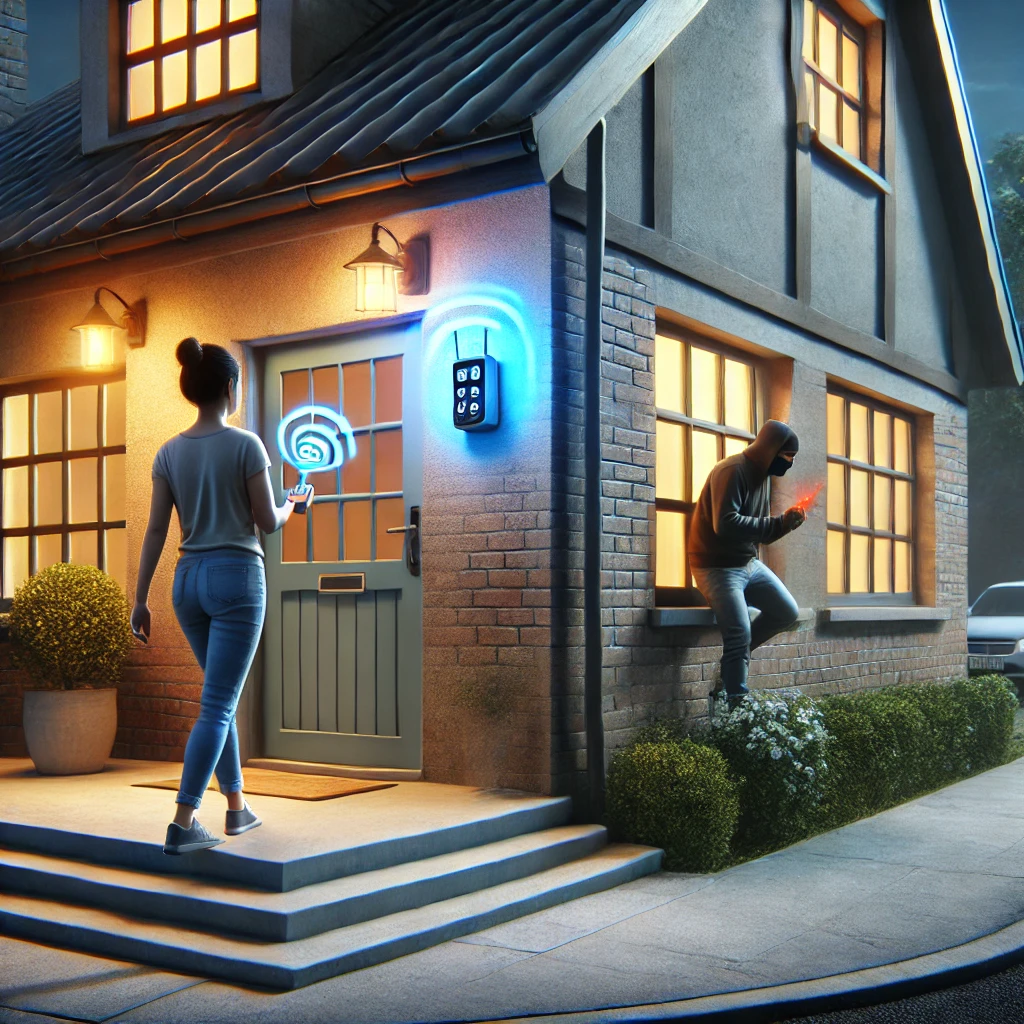
A woman leaves her house, activating the alarm with her remote control, while a thief secretly records the signal. Once she has left, the thief replays the signal to deactivate the alarm, allowing undetected access.
While a single attack might bypass certain parts of the home alarm system, combining them renders the entire system completely ineffective. This is where these attacks become truly effective and dangerous. The steps above are ordered by creativity and complexity, rather than in chronological order. Here’s how I would combine them to allow enough time to empty the apartment:
First, block the Wi-Fi and mobile network (SIM card) connection (Act 3) to ensure the alarm cannot communicate externally. This way, when we deactivate the alarm in the next steps, or if it’s triggered accidentally, it won’t send any notifications indicating it was deactivated or triggered. It’s crucial not to simply deactivate the alarm without blocking the signal first, as this would notify the owner that the system was deactivated. This demonstrates how each step is perfectly coordinated, with one relying on the effectiveness of the other.
The next step is to deactivate the alarm. Even with the connections blocked, it may still have a loud, built-in alarm that could attract neighbors' attention if triggered. Therefore, it’s crucial to deactivate it using the cloned RFID chip or the spoofed remote control signal (Acts 4 & 5) to ensure the alarm remains silent and undetected.
Now, we break into the house. However, even though we’ve deactivated the alarm system, blocked all connections, and disabled the alarm, there’s always a chance something didn’t go as planned. What if the alarm is still active? To avoid any unwanted surprises—and a potential prison sentence—it’s wise to take extra precautions by tricking the motion and contact sensors, even though they should technically be deactivated (Acts 1 & 2).
AI Website Generator